

Quick Reference - Message categories and their common types:
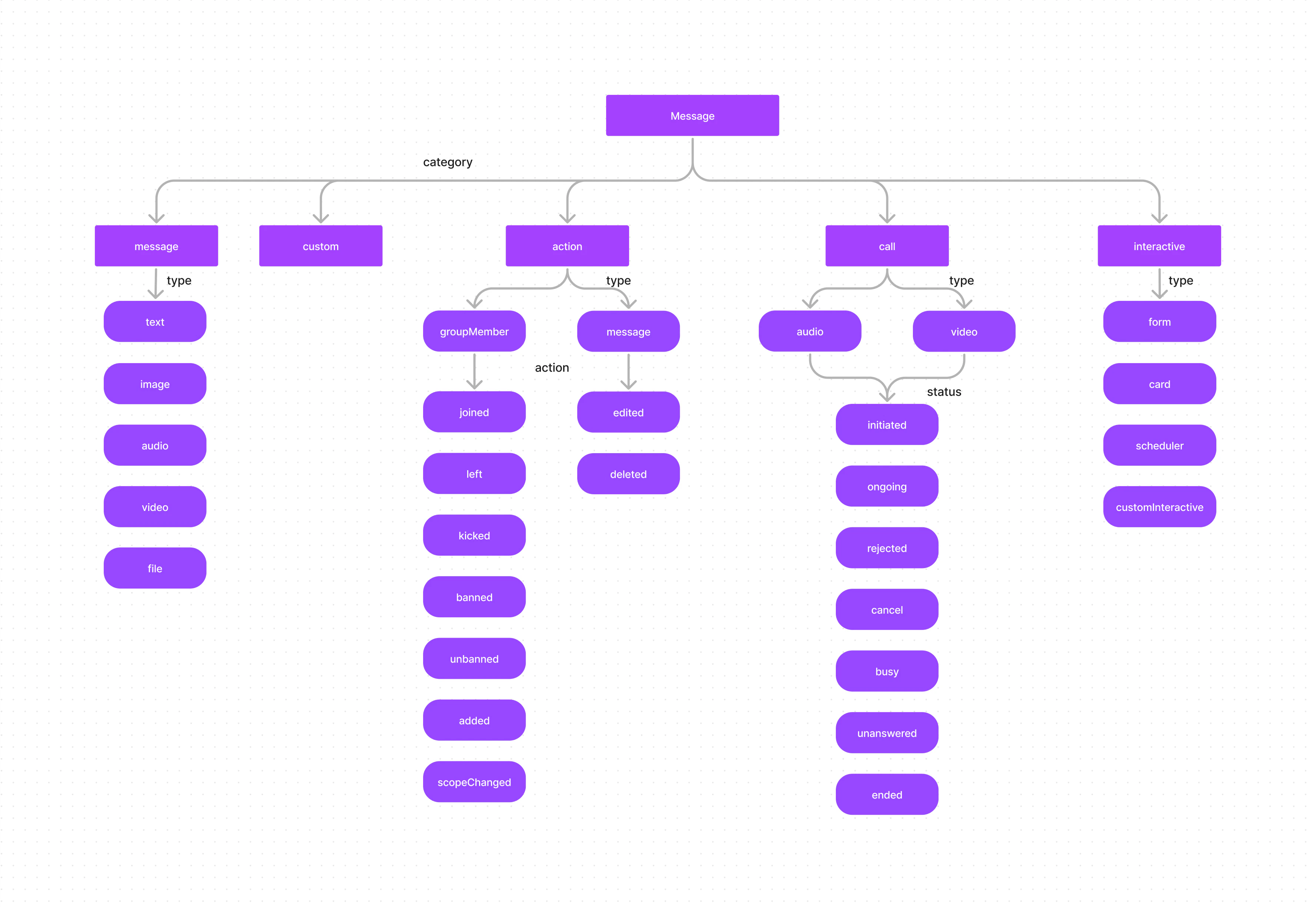
- Message
- Custom
- Action
- Call
- Interactive
Message
A message belonging to the categorymessage can be classified into one of the following types:
Custom
In the case of messages that belong to thecustom category, there are no predefined types. Custom messages can be used by developers to send messages that do not fit in the default category and types provided by CometChat. For messages with the category custom, the developers can set their own type to uniquely identify the custom message.
A good example of a custom message would be sharing location coordinates. In this case, the developer can decide to use the custom message with type set to location.
Interactive
An InteractiveMessage is a specialized object that encapsulates an interactive unit within a chat message, such as an embedded form that users can fill out directly within the chat interface. This enhances user engagement by making the chat experience more interactive and responsive to user input.To learn more about Interactive messages, please refer to the Interactive Messages guide.
Action
Action messages are system-generated messages. Messages belonging to theaction category can further be classified into one of the below types:
Action messages hold another property called
action which determines the action that has been performed.
groupMember Actions
message Actions
Call
Messages with the categorycall are calling-related messages. These can belong to either one of the 2 types:
The call messages have a property called
status that helps you determine the status of the call:
Next Steps
Send Messages
Start sending text, media, and custom messages
Interactive Messages
Build forms, cards, and custom interactive messages
Receive Messages
Listen for and handle incoming messages in real-time
Key Concepts
Review the fundamental building blocks of CometChat