> ## Documentation Index
> Fetch the complete documentation index at: https://cometchat-22654f5b-docs-v6-beta2-flutter-uikit.mintlify.site/llms.txt
> Use this file to discover all available pages before exploring further.

# Flutter UI Kit

> Prebuilt Flutter widgets for chat, voice, and video calling. Works on iOS and Android.

<Note>
  🚀 **V6 Beta Available** — The Flutter UI Kit V6 is now available in beta with BLoC state management, clean architecture, and improved performance. [Check out the V6 Overview →](/ui-kit/flutter/v6/overview)
</Note>

<Accordion title="AI Agent Component Spec">
  | Field        | Value                                                                             |
  | ------------ | --------------------------------------------------------------------------------- |
  | Package      | `cometchat_chat_uikit` v5.2.x                                                     |
  | Calling      | Optional — `cometchat_calls_uikit`                                                |
  | Platforms    | iOS 13.0+, Android API 21+                                                        |
  | Flutter      | 3.0+ recommended                                                                  |
  | Localization | Built-in support                                                                  |
  | Source       | [GitHub](https://github.com/cometchat/cometchat-uikit-flutter/tree/v5/chat_uikit) |
</Accordion>

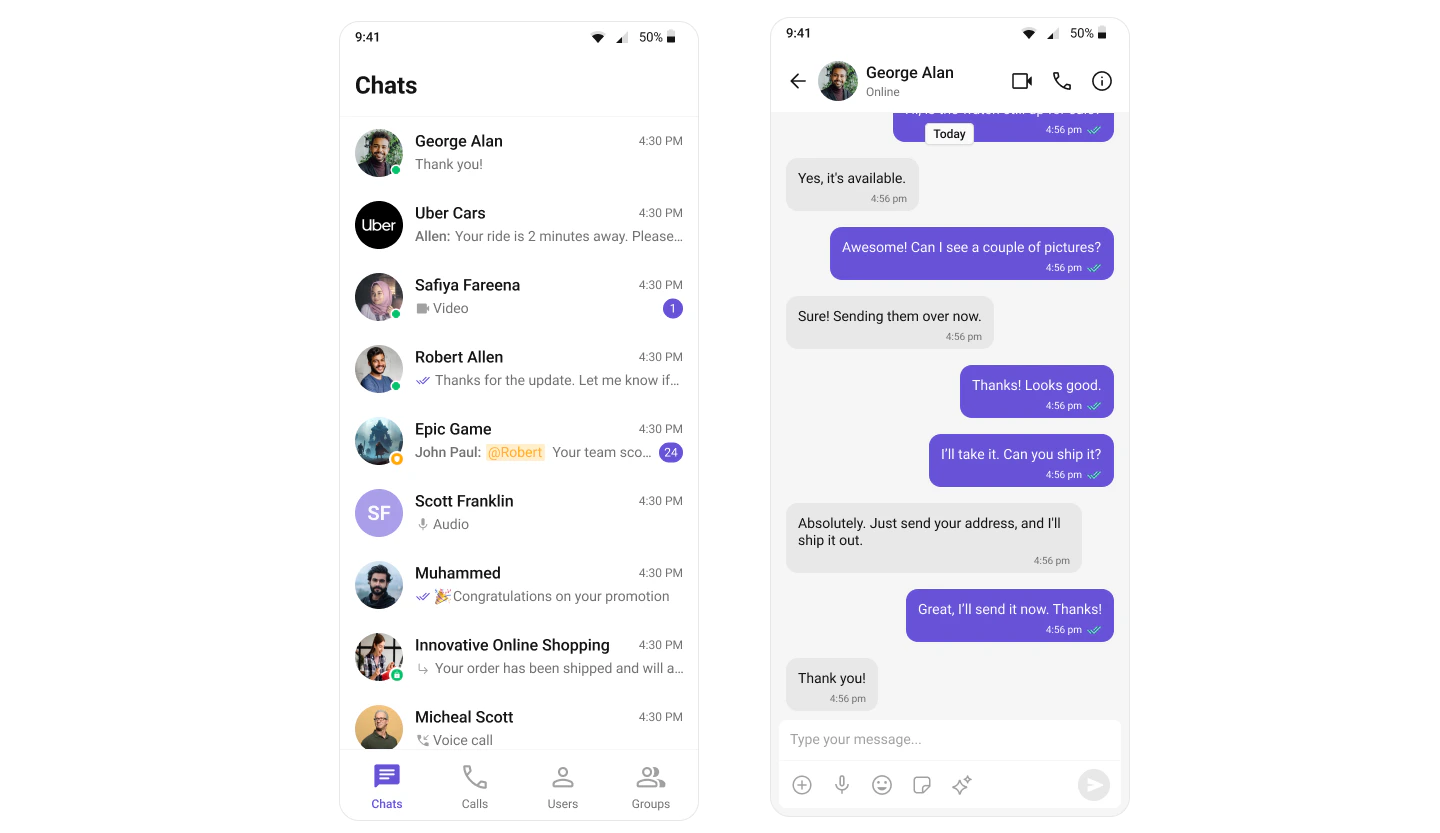
The CometChat Flutter UI Kit provides prebuilt, customizable widgets for adding chat, voice, and video calling to any Flutter app. Each widget handles its own data fetching, real-time listeners, and state — you just drop them into your layout.

<Frame>
  <img src="https://mintcdn.com/cometchat-22654f5b-docs-v6-beta2-flutter-uikit/4ucxtIPTMjv_Z4iZ/images/7e8b813d-chat_experience_full_tab_based-28115d603d38f5bbfbfe170739aa478c.png?fit=max&auto=format&n=4ucxtIPTMjv_Z4iZ&q=85&s=5562cad6eae8d22404b868c347e0dad0" width="1440" height="833" data-path="images/7e8b813d-chat_experience_full_tab_based-28115d603d38f5bbfbfe170739aa478c.png" />
</Frame>

***

## Try It

<CardGroup>
  <Card title="Sample App" icon="github" href="https://github.com/cometchat/cometchat-uikit-flutter/tree/v5/sample_app">
    Clone and run the Flutter sample project
  </Card>
</CardGroup>

***

## Get Started

<Frame>
  <iframe width="100%" height="400" src="https://www.youtube.com/embed/I0yVOMlPMqc" title="YouTube video" frameBorder="0" allow="accelerometer; autoplay; clipboard-write; encrypted-media; gyroscope; picture-in-picture; web-share" />
</Frame>

<Card title="Getting Started" icon="rocket" href="/ui-kit/flutter/getting-started">
  Install, initialize, and build your first chat screen
</Card>

***

## Explore

<CardGroup cols={2}>
  <Card title="Components" icon="grid-2" href="/ui-kit/flutter/components-overview">
    Browse all prebuilt UI widgets
  </Card>

  <Card title="Features" icon="comments" href="/ui-kit/flutter/core-features">
    Chat, calling, AI, and extensions
  </Card>

  <Card title="Theming" icon="paintbrush" href="/ui-kit/flutter/theme-introduction">
    Colors, fonts, dark mode, and custom styling
  </Card>

  <Card title="Key Concepts" icon="book" href="/fundamentals/key-concepts">
    Understand CometChat's core concepts
  </Card>
</CardGroup>

***

## Resources

<CardGroup cols={3}>
  <Card title="Sample App" icon="github" href="https://github.com/cometchat/cometchat-uikit-flutter/tree/v5/sample_app">
    Working reference app
  </Card>

  <Card title="Source Code" icon="code" href="https://github.com/cometchat/cometchat-uikit-flutter/tree/v5/chat_uikit">
    Full UI Kit source on GitHub
  </Card>

  <Card title="Figma" icon="figma" href="https://www.figma.com/community/file/1444324233177163609/cometchat-ui-kit-for-flutter">
    Design resources and prototyping
  </Card>

  <Card title="Troubleshooting" icon="wrench" href="/ui-kit/flutter/troubleshooting">
    Common issues and fixes
  </Card>

  <Card title="Support" icon="headset" href="https://help.cometchat.com/hc/en-us/requests/new">
    Open a support ticket
  </Card>

  <Card title="Migration Guide" icon="arrow-up" href="/ui-kit/flutter/upgrading-from-v4">
    Upgrading from v4
  </Card>
</CardGroup>